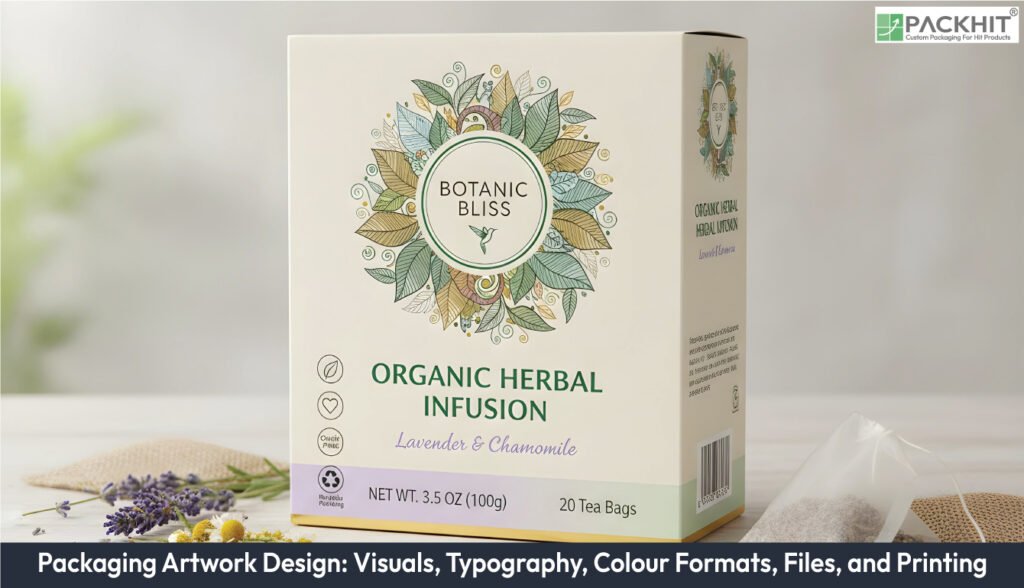
Packaging artwork design integrates visual elements, typography, colour workflows, file preparation, and printing methods to create effective, production-ready packaging. Strategic choices in visuals and typeface establish brand identity and ensure readability, while proper colour management maintains consistent brand colours across materials. File preparation, including correct formats, resolution, and layout setup, supports accurate and efficient printing. Printing methods and substrate selection influence appearance, durability, and tactile experience.
- What is Packaging Artwork Design?
- Why is Packaging Artwork Design Important?
- What are the Key Visual Elements in Packaging Artwork Design?
- What Elements of Typography Influence Packaging Artwork Design?
- Font Selection
- Hierarchy and Readability
- Style and Weight
- Consistency and Brand Alignment
- Print Readiness
- How Do Colour Formats Affect Packaging Artwork Design?
- What are the Essential Steps in Preparing Artwork Files?
- 1. Use Correct File Types
- 2. Apply Colour Management
- 3. Include Dielines and Bleeds
- 4. Handle Fonts Correctly
- 5. Ensure Resolution and Trapping
- 6. Export and Proof
- What Printing Choices Influence the Quality of Packaging Artwork Design?
- How Does Artwork Design Affect Project Cost and Pricing?
- How Should Dielines and Structural Artwork be Prepared in Packaging Artwork Design?
- How Should Artwork Files, Assets, and Names be Organised?
- What are the Common Challenges in Packaging Artwork Design?
- How Does Label Artwork Differ From Carton or Sleeve Artwork?
- How Do Digital Assets and Design Systems Streamline Packaging Artwork?
What is Packaging Artwork Design?
Packaging artwork design is a service that primarily translates brand assets into production-ready artwork for packaging substrates. As a service, artwork design core specifications include creation of vector dielines, layered source art (text, images, varnish/finish masks), and colour strategy. Contextual roles of artwork design involve developing and executing visual identity across print and digital asset systems. Typical features of artwork design include illustration (pack graphics), typography (brand and legal copy), and colour strategy (CMYK separations, spot colours). Packaging artwork design applications include branded packaging visuals, shelf-ready cartons, and product labels; related disciplines include graphic design, branding, and structural packaging design.
Why is Packaging Artwork Design Important?
Packaging artwork design sets production accuracy, print consistency, and brand recognition across every SKU (Stock Keeping Unit). Printers depend on these files to position graphics, reproduce colour, and avoid press errors. Any gap in artwork precision changes cost, timing, or structural fit. Artwork guides cross-team work where structural engineers use dielines, marketing checks visual hierarchy, and manufacturing ensures barcode placement. Samples and prototypes reveal issues such as panel tension, glue-tab shifts, or image stretch that flat layouts cannot show. Material, varnish, and feature choices influence artwork because each option affects layers, inks, and finishing. Packaging artwork design prevents rework by linking these technical details to a single, consistent layout, even when product lines expand or materials shift.
What are the Key Visual Elements in Packaging Artwork Design?
Effective packaging artwork design relies on carefully selected visual elements such as logos, product photography, icons, and decorative patterns that communicate the brand, highlight the product, and capture consumer attention.
Logos
Logos represent the brand and are central to visual recognition. Use vector formats for scalability and consistency across different packaging sizes. Maintain proper placement and clear space to ensure visibility.
Product Photography
High-quality images showcase the product and create an emotional connection with consumers. Provide photos in 300 DPI TIFF or PSD formats with isolated backgrounds for flexibility. Lifestyle shots, ingredient images, or product-in-use visuals enhance appeal.
Illustrations and Icons
Custom illustrations or icons communicate features, usage, or benefits in a visually engaging way. Vector formats (SVG or EPS) ensure clarity and scalability across panels. Icons can highlight certifications, instructions, or product attributes.
Patterns and Decorative Graphics
Background patterns, textures, and decorative elements enhance visual appeal and differentiate products on the shelf. Use them carefully to complement the main branding without overwhelming key information.
What Elements of Typography Influence Packaging Artwork Design?
Typography shapes how text communicates information, guides the viewer’s eye, and reinforces brand identity. Careful font selection and placement ensure clarity and enhance the overall design.
Font Selection
Choose fonts that match the brand personality and product type. Display fonts highlight product names, while sans-serif or simple serif fonts improve readability for instructions or ingredient lists.
Hierarchy and Readability
Text hierarchy organises information by importance, guiding consumers from product name to supporting details. Maintain legibility with appropriate font sizes and line spacing:
- Minimum 6 pt for secondary panels
- 8-10 pt for primary text visible on shelves
Style and Weight
Font weight, style (italic, bold), and spacing affect emphasis and readability. Use contrast between headings and body text to differentiate sections and highlight key messages.
Consistency and Brand Alignment
Consistent use of fonts across all packaging panels and product lines strengthens brand identity. Reserve specific fonts for logos, headings, and body copy to maintain a cohesive look.
Print Readiness
Prepare typography for printing by outlining or embedding fonts in final files to avoid substitution. Ensure font sizes, spacing, and alignment remain accurate after printing, especially on textured or coated substrates.
How Do Colour Formats Affect Packaging Artwork Design?
Colour formats determine how inks are separated and reproduced during printing, affecting brand consistency, visual impact, and overall packaging quality. Careful selection of colour workflows ensures the final printed package matches the intended design.
Below are the main considerations:
- CMYK (Cyan, Magenta, Yellow, Black): Used for full-colour process printing, photographic images and short digital runs. CMYK provides smooth gradients and is suitable for flexible and detailed imagery.
- PMS (Pantone / Spot Colours): Used for exact brand colours, particularly in long-run gravure or offset printing. Spot colours ensure consistent colour reproduction across different materials and batches.
- Workflow Practices: Keep two standard workflows: 4-colour process (CMYK) for general printing and spot-colour (PMS) for precise brand colours.
- Proofing: Always check a physical proof on the target substrate, as materials and finishes (gloss, matte, textured) can alter perceived colour.
Examples:
- CMYK for full-wrap flexible film, photographic labels or short digital runs
- PMS for consistent logos across corrugated boxes, folding cartons and branded packaging
Proper management of colour formats ensures that packaging artwork remains visually consistent, reinforces brand identity, and meets production expectations.
What are the Essential Steps in Preparing Artwork Files?
Properly prepared files ensure the final printed package matches the intended design, avoids errors and maintains quality across all elements.
1. Use Correct File Types
Choosing the right file type affects scalability, resolution, and overall print quality. Below are recommended file types:
- Vector files (AI, EPS, SVG) for logos, icons, and illustrations.
- Raster files (TIFF, PSD, high-resolution JPEG) for photography and detailed images at 300 DPI or higher.
2. Apply Colour Management
Ensure the basic colour setup aligns with the chosen colour formats. Key points include:
- CMYK for process printing, PMS for spot colours
- Include swatches and proofs to verify colour accuracy on the target substrate.
3. Include Dielines and Bleeds
Guide cutting, folding, and assembly to prevent misalignment or clipping. Below are the key steps:
- Add dieline layers for folds, cuts, and scores.
- Maintain 3–5 mm bleeds beyond trim and a 5 mm safe zone inside trim.
4. Handle Fonts Correctly
Typography affects readability, hierarchy, and brand identity. Follow these steps:
- Outline or embed fonts to prevent substitution.
- Check font sizes, alignment, and hierarchy for legibility.
5. Ensure Resolution and Trapping
High resolution and proper trapping maintain sharpness and prevent colour gaps. Key measures include:
- Keep all images and graphics at 300 DPI or higher.
- Apply trapping to prevent gaps between inks caused by ink spread.
6. Export and Proof
Final exports and proofing confirm print-readiness. Below are the steps:
- Export press-ready PDFs (PDF/X-1a) and retain original AI, EPS, or PSD files.
- Provide a colour-proof image for each panel on the target substrate.
Careful preparation ensures the printed package matches the intended design and maintains quality.
What Printing Choices Influence the Quality of Packaging Artwork Design?
Printing choices, such as different printing shapes how artwork appears on the final package, influencing quality, durability, and shelf appeal. Each element plays a role in translating design into a tangible product.
Printing Methods
Different printing methods suit different run sizes, materials, and colour needs.
- Digital Printing: Ideal for short runs and variable data, offering quick turnaround and flexibility.
- Offset Printing: Suited for medium runs, delivers consistent colour and sharp details.
- Rotogravure Printing: Best for long runs, ensures colour stability and high-quality finishes.
Substrate Compatibility
The material of the package affects ink absorption, colour reproduction, and finish. Corrugated, folding cartons, flexible films, and rigid boxes each require specific printing adjustments.
Colour Accuracy
Proper colour management ensures that brand colours and images appear as intended. Proofs on the actual substrate help verify accuracy.
Surface Finishes
Finishes enhance visual appeal and protection:
- Matte Varnish: Reduces glare and softens appearance.
- Gloss Coating: Enhances colour saturation and brightness.
- Aqueous or UV Coatings: Add contrast, durability, and tactile effects.
Registration and Alignment
Accurate registration ensures that multi-colour designs, patterns, and dielines align correctly on the package, avoiding misprints or overlaps.
How Does Artwork Design Affect Project Cost and Pricing?
Artwork design can significantly influence the cost of custom packaging projects. Increased complexity raises prepress time, requires additional plates or inks, and may trigger extra production steps such as varnish or foil stamping. Features that typically increase cost include bespoke dielines (windows or inserts), metallic or pigment spot inks, tactile finishes, and multi-language panels, all of which can extend setup, press time, or speciality finishing processes.
How Should Dielines and Structural Artwork be Prepared in Packaging Artwork Design?
Dielines should be prepared as dedicated, non-printing vector layers that define folds, cuts, and glue areas. Critical dimensions, safe-copy zones, and bleeds must be clearly marked. Layers for imagery, text, finishes, and mechanical marks should be separate and well-organised. For complex structures, include assembly notes or flat mock-ups, and use consistent version naming for easy reference.
How Should Artwork Files, Assets, and Names be Organised?
Artwork files should follow a clear folder structure with a root folder containing an explicit manifest and subfolders for source files, exports, images, proofs, and notes. Filenames should encode client, SKU, version, and date (e.g., CLIENT_PRODUCT_SKU_v03_20251201.pdf). Native files should have separate, clearly named layers such as DIELINE, ARTWORK, TYPE, IMAGES, and VARNISH, with the dieline layer locked. Supply a packaged archive including all linked images, fonts or a font manifest, a production PDF, and a short README detailing materials and processes.
What are the Common Challenges in Packaging Artwork Design?
Creating packaging artwork is a detailed and precise task, but it comes with several hurdles. Issues like colour inconsistencies, file preparation errors, and proofing delays impact the overall visual quality of the finished packaging. The key challenges are outlined below.
- Colour inconsistencies: Differences in inks, substrates, and printing methods can cause variations. Using standard formats like CMYK or PANTONE helps maintain brand consistency.
- File preparation errors: Misaligned artwork, missing bleeds, or low resolution can compromise print quality. Following technical guidelines and maintaining 300 DPI ensures accuracy.
- Proofing delays: Miscommunication between designers and pre-press teams can slow verification of colour, layout, and alignment.
- Typography and legibility issues: Poor font choices or inadequate hierarchy can make text hard to read, especially on small panels or textured surfaces.
- Design alignment with structure: Artwork must fit dielines, folds, and panels precisely; misalignment can distort graphics or obscure information.
- Material limitations affecting artwork: Different substrates absorb ink differently, which can change the appearance of colours and graphics.
How Does Label Artwork Differ From Carton or Sleeve Artwork?
Label artwork and carton or sleeve artwork have distinct design and production requirements. The table below highlights the key differences between label artwork and carton or sleeve artwork, focusing on layout, production, and finishing considerations.
| Aspect | Label Artwork | Carton or Sleeve Artwork |
|---|---|---|
| Production Method | Roll-to-roll printing; continuous patterns | Flat dielines; multi-panel folding |
| Layout Considerations | Repeating layout, die registration, adhesive margins, and application tolerances | Assembly allowances, glue tabs, registration across panels |
| Finishing Concerns | Lamination and varnish compatibility | Structural alignment with folds, collapse or nesting constraints |
| Substrate & Adhesive | Specify substrate type, adhesive behaviour, and application method | Specify substrate type, adhesive behaviour, and application method |
| Printer Guidance | Enables ink and finish recommendations for rolls | Enables ink and finish recommendations for cartons or sleeves |
Understanding distinctions between label artwork and carton or sleeve artwork ensures artwork is prepared correctly for each format, helping printers select suitable inks, finishes, and production methods.
How Do Digital Assets and Design Systems Streamline Packaging Artwork?
Digital assets and scalable design systems streamline artwork for multiple SKUs and localisations, reducing errors and repetitive work. Brand elements (logos, colours, type styles) are separated from variable content (flavour names, regulatory panels), and templates are provided to generate print-ready files automatically. Source templates should include instructions for localisation and variable data. For variable-data printing, supply a validated record file (e.g., CSV) and a tested template so proofs can be generated before full production.