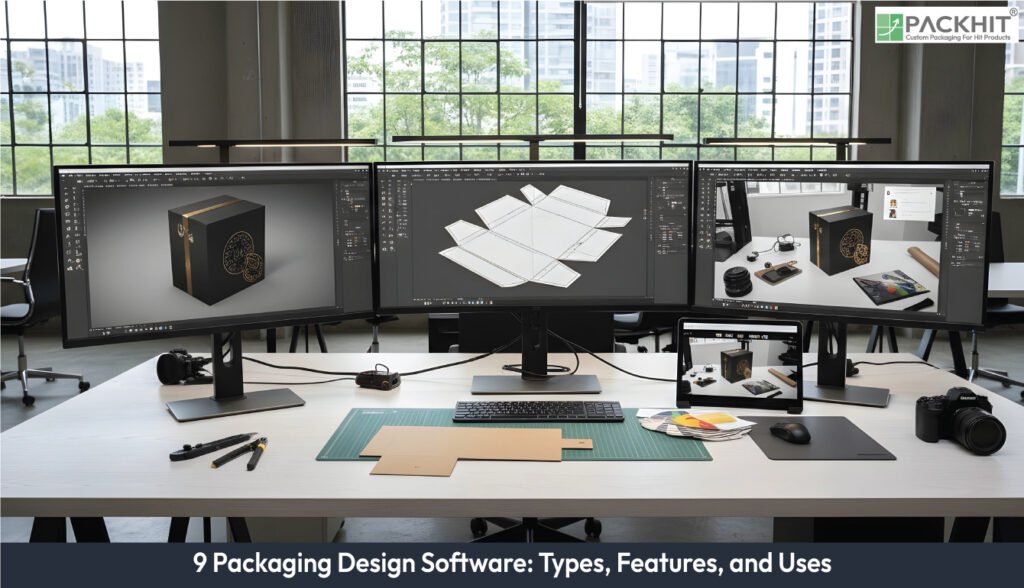
Packaging design software supports work that spans structural layout, graphic artwork, 3D checks, and print‑ready preparation. Packaging design tools create dielines for corrugated and folding‑carton formats, map artwork onto 3D forms for shape or substrate checks, correct PDF files before plate production, and draw vector artwork with spot‑colour rules and layer logic. Features of packaging design software vary across systems but include dieline automation, artwork management, 3D preview logic, trapping and barcode checks, nesting rules, and CAD imports for rigid shapes. Typical uses of packaging design software include product mockups, digital prototypes, cost reduction through fewer physical samples, multi‑team review cycles, 3D structural modelling, and error control in measurements or print settings. To choose the right packaging design software, consider user role, substrate, file compatibility, automation needs, licensing constraints, and whether flat artwork or 3D performance dominates the workload. Current development trends in packaging design software point toward AI‑guided corrections, AR checks in shelf environments, sustainability scoring for fibre or ink content, and cloud systems that store versions and SKU (Stock Keeping Unit) data.
- What is Packaging Design Software?
- What are the Main Types of Packaging Design Software?
- 1.ArtiosCAD
- 2. Esko Studio
- 3. ArtPro+
- 4. Adobe Illustrator
- 5. Packmage Designer
- 6. Impac
- 7. SolidWorks
- 8. Blender
- 9. KeyShot
- What are the Features of Packaging Design Software?
- What are the Uses of Packaging Design Software?
- How to Choose the Right Packaging Design Software?
- What are the Emerging Trends in Packaging Design Software?
What is Packaging Design Software?
Packaging design software refers to a range of digital tools used to create, develop, visualise, and prepare packaging for production. These tools support both the structural and visual components of packaging, enabling designers to move from initial concepts to precise, manufacturable files with efficiency and accuracy. Most packaging workflows rely on several principal categories of software, including 2D graphic editors for creating artwork, structural CAD tools for designing dielines, and 3D visualisers for generating realistic mock-ups and renderings. Prepress and RIP tools play a crucial role in preparing print-ready files and ensuring reliable colour accuracy throughout the production process.
What are the Main Types of Packaging Design Software?
The main types of packaging design software are listed below:
- ArtiosCAD
- Esko Studio
- ArtPro+
- Adobe Illustrator
- Packmage Designer
- Impact
- SolidWorks
- Blender
- KeyShot
1.ArtiosCAD
ArtiosCAD is a structural-design application focused on creating parametric dielines for corrugated, folding-carton, and POP packaging. It provides a library of parametric box styles, automated fluting and grain-direction compensation, and nest-ready outputs that export to DXF or CAM formats. It is typically used for generating production dielines, preparing die-making geometry, and estimating material usage, while its parametric templates allow fast design variations and nesting behaviour that adapts to sheet size and flute orientation.
2. Esko Studio
Esko Studio is a 3D packaging visualisation tool that maps 2D artwork onto 3D models to validate fit, finish, and aesthetics. It includes UV mapping, realistic paper and metallic shaders, and colour-proofing workflows that support accurate mockups for approvals, shrink-sleeve validation, and e-commerce images. Its simulated finishes affect perceived contrast and readability, and different substrates may require adjusted trapping and varnish masks.
3. ArtPro+
ArtPro+ is a packaging-oriented prepress editor designed for PDF-level corrections and the creation of press-ready files. It supports native PDF editing, trapping tools, imposition assistance, barcode verification, and PDF/X export, making it suitable for final artwork corrections, plate preparation, and preflight checks. Automated correction features work best when spot colour naming is consistent, and all required fonts are properly embedded.
4. Adobe Illustrator
Adobe Illustrator is a professional vector-art environment used to create and refine packaging artwork, dieline art, logos, and typography. It offers precise node editing, layered artwork management, spot colour and Pantone support, and AI/EPS export options commonly required by print workflows. Illustrator files may need flattening or conversion before RIP processing to preserve transparency behaviour and overprint settings.
5. Packmage Designer
Packmage Designer is a structural-design application centred on parametric folding-carton templates and die-cut layouts. It supports complex die-cut geometry, parametric modelling, and DXF export for cutting tables, making it useful for quickly generating carton variants and cutter-ready files. Its templates can include artwork-placement rules that allow designs to be reapplied to multiple SKUs with minimal manual adjustment.
6. Impac
Impact is a structural-design and workflow system used by converters to create dielines and manage production-ready outputs. It combines parametric geometry with die-making exports, nesting utilities, and job-ticket metadata that help automate finishing-line tasks. Its nested layouts adjust automatically to the sheet size and capabilities defined in the job ticket, making it well-suited for integrated converting workflows.
7. SolidWorks
SolidWorks is a mechanical CAD platform used for rigid packaging, closures, and injection-moulded components that require engineered precision. It offers parametric solid modelling, tolerance control, and STEP/IGES export for downstream rendering or tooling. Designers use it for bottles, caps, blister trays, and parts requiring draft-angle or mechanical-fit validation, especially when finite-element analysis is needed before mould construction.
8. Blender
Blender is an open-source 3D modelling and rendering system used to create photorealistic packaging visuals and animations. It includes mesh-editing tools, PBR shading, animation capabilities, and OBJ/FBX import, enabling high-quality e-commerce or point-of-sale imagery. Rendering speed and realism depend on scene complexity, lighting, and material-shader fidelity, allowing flexible but resource-dependent visualisation.
9. KeyShot
KeyShot is a high-speed rendering application optimised for CAD and mesh models used in packaging visualisation. It provides real-time material previews, HDR lighting, and broad CAD import support, allowing teams to generate marketing-quality images, approval renders, and shelf simulations. While visually accurate, its output requires integration with a colour-managed prepress workflow when used for press-level proofing rather than relying solely on monitor appearance.
What are the Features of Packaging Design Software?
The features of packaging design software cover structural layout tools, artwork editing controls, 3D checks, and production‑ready prepress functions that help teams create accurate, manufacturable packaging files.
- Structural tools build dielines with parametric templates for cartons, corrugated boxes, and die‑cut shapes.
- Artwork controls manage vector paths, spot colours, layers, and barcode fields for print accuracy.
- 3D functions map artwork onto pack shapes for fit checks, substrate behaviour reviews, and digital mockups.
- Prepress checks correct PDFs, trap colours, verifies barcodes, and prepares PDF/X exports for presses.
- Template libraries supply ready-made carton styles that reduce manual drafting steps.
- Integration links connect CAD, vector editors, and prepress tools so geometry and colour stay consistent.
- Collaboration tools store versions, comments, and shared files for multi-team review cycles.
- Sustainability tools calculate fibre levels, ink use, or recyclability scores, if manufacturers track material data.
What are the Uses of Packaging Design Software?
The use of packaging design software supports structural, graphic, and production work across manufacturing and branding tasks.
- Creating dielines for cartons, corrugated boxes, and die‑cut formats for production teams.
- Building artwork layers for labels, pouches, folding cartons, and multi‑SKU ranges.
- Producing 3D mockups for shape checks, substrate behaviour tests, and e‑commerce renders.
- Running prepress checks for trapping, barcode accuracy, and PDF/X compliance before print.
- Testing carton or film geometry with structural modelling tools for fit and strength.
- Managing approvals through cloud comments, shared versions, and SKU‑linked files.
- Reducing material waste through nesting logic and template‑based layouts for board or film.
- Supporting sustainability scoring for fibre levels, ink usage, or recyclability if material data is tracked.
- Connecting artwork editors, CAD tools, and 3D systems through shared formats such as PDF, DXF, STEP, and OBJ.
How to Choose the Right Packaging Design Software?
To choose the right packaging design software for packaging design, follow the key aspects below:
- Match user role to software type: Pick vector editors for brand artwork tasks, such as labels or logos; pick structural CAD for dieline engineering tasks, such as corrugated or folding‑carton layouts.
- Match substrate and process: Pick tools with corrugated or folding‑carton libraries for paper-based formats; pick film-aware workflows for laminated or varnished film formats.
- Check file-format and device compatibility: Pick software with PDF/X, DXF/DWG, STEP/IGES, and OBJ/STL exports for presses, cutters, and CAM equipment.
- Evaluate collaboration and automation: Pick cloud- or PLM-linked tools if multi-team reviews, shared metadata, or version control are required.
- Assess licensing and total cost: Pick commercial CAD for volume production and parametric control; pick subscription or open-source editors for light artwork tasks or early-stage prototypes.
- Decide on 2D versus 3D requirements: Pick 2D editors for flat artwork tasks; pick 3D visualisation if shelf renders, shrink-fit checks, or geometry previews are needed.
What are the Emerging Trends in Packaging Design Software?
Emerging trends in packaging design software centre on AI-driven automation, AR-based visualisation, and sustainability modelling that supports material‑reduction goals. Current systems use AI to classify dielines, correct artwork, and flag prepress issues, while AR overlays let teams review pack graphics on shelves or in production spaces. Sustainability tools calculate fibre content, ink load, or recyclability scores if manufacturers track substrate data. Cloud frameworks carry shared assets, version logs, and SKU (Stock Keeping Unit) links, and help manufacturers move approvals faster across distributed teams. Software vendors add integration hooks for Illustrator, PDF/X workflows, and structural CAD so graphic and structural tasks share consistent geometry and colour data. These trends push packaging workflows toward fewer physical prototypes, more accurate digital proofs, and earlier detection of errors tied to film stretch, corrugated fluting, or barcode distortion.
Which Packaging Design Software is Best for Graphic Designers?
Adobe Illustrator is the best software for graphic designers. It gives the most precise control for packaging artwork because it handles vector paths, spot colours, dieline layers, and PDF/X exports without altering print‑critical settings.
Which Packaging Design Software is Best for 3D Visualisation?
KeyShot gives the most accurate 3D visualisation for packaging because it renders CAD and mesh models with real‑time lighting, material presets, and fast preview updates. Designers use it for shelf simulations and approval images if photoreal accuracy matters.
Can Packaging Design Software Reduce Material Waste?
Yes, packaging design software reduces material waste because it calculates precise dielines, removes redundant layout steps, and uses nesting logic to cut unused board or film. Tools with sustainability features score fibre content or ink load, if manufacturers track material data.