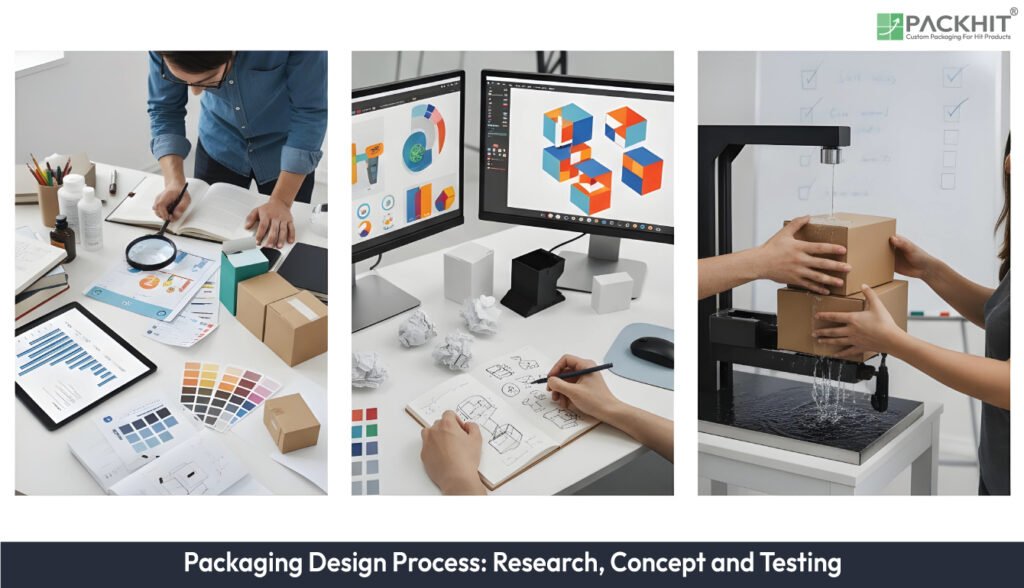
The packaging design process is a structured workflow that transforms a brief into a verified packaging solution, combining market research, concept development, structural design, artwork creation, prototyping, testing, and final handover. Key steps include briefing, market research, strategic positioning, concept generation, feasibility review, dieline and artwork development, prototype production, validation testing, iteration, and pre-production. Research, including consumer insights, competitor benchmarks, and technical constraints, guides concept choices and ensures functional and visual alignment. Prototypes are made digitally and physically, then tested via consumer panels, controlled comparisons, functional checks, and iterative refinement. The essential software and tools used in the packaging design process include CAD systems, vector/raster graphics software, packaging templates, and pre-press tools, support accurate structural files, artwork alignment, and error-free production, streamlining the entire workflow from concept to final delivery.
- What is the Packaging Design Process?
- What are the Steps in the Packaging Design Process?
- 1. Writing Packaging Design Brief
- 2. Conducting Initial Market Research
- 3. Establishing Strategic Positioning
- 4. Generating Design Concepts
- 5. Reviewing Technical Feasibility
- 6. Preparing Structural Dielines
- 7. Developing Packaging Artwork
- 8. Producing Design Prototypes
- 9. Running Validation Tests
- 10. Iterating toward Final Approval
- 11. Final handover and pre-production
- How Does Research Shape Concept Development?
- How are Packaging Prototypes Made and Tested?
- Digital 3D mock‑ups
- Physical samples
- Consumer panels
- Controlled comparisons
- Functional checks
- Iteration cycles
- What Software and Tools are Essential to the Packaging Design Process?
- What Common Failure Modes Occur During the Packaging Design Process?
What is the Packaging Design Process?
The packaging design process is an organised sequence of tasks that converts a brief into a verified packaging solution. As a defining specification, it is a process-type workflow used to guide projects from initial briefing through market research, concept development, iteration and user testing to final approval. Typical functional roles within the sequence include research planning, concept development, structural design and validation; the discipline intersects product design, industrial design and graphic design. Two structural formats recur in practice: a condensed six-step roadmap for straightforward projects and an expanded eleven-step sequence where scope and regulatory controls increase.
What are the Steps in the Packaging Design Process?
The steps in the packaging design process are detailed below:
1. Writing Packaging Design Brief
Writing the packaging design brief establishes scope and acceptance criteria. This step records the product type, pack size, distribution channel, and regulatory class, with examples such as food contact rules, UK labelling acts, and target retail formats. The brief fixes cost ceilings, material exclusions, and production volumes, if the product enters regulated or multi‑market supply chains.
2. Conducting Initial Market Research
Conducting initial market research identifies category patterns and user segments. This stage analyses price bands, with examples such as value, mid‑range, and premium SKUs, pack formats with examples like cartons, pouches, or bottles, and material choices with examples including folding board or rigid plastic. Research outputs define measurable constraints if shelf conventions dominate the category.
3. Establishing Strategic Positioning
Establishing strategic positioning sets decision filters for later design work. This step defines visibility targets, with examples such as shelf distance legibility in metres, sustainability limits with examples like recycled content percentages, and unit cost thresholds with examples in pence per pack. These filters rank concepts if commercial and functional demands conflict.
4. Generating Design Concepts
Generating design concepts produces structured alternatives for evaluation. This stage creates three to five artwork routes, with examples such as colour‑led, typography‑led, or information‑led layouts, and one or two structural variants with examples like tuck‑end or crash‑lock bases. Concepts translate positioning rules into layouts, if early reviews expose hierarchy or clarity gaps.
5. Reviewing Technical Feasibility
Reviewing technical feasibility tests concepts against manufacturing limits. Checks cover material performance with examples such as board calliper ranges, conversion methods with examples like die‑cutting or glueing lines, and print restrictions with examples including ink coverage limits. Infeasible routes are removed if tolerances clash with artwork placement.
6. Preparing Structural Dielines
Preparing structural dielines defines the physical geometry of the pack. This step specifies cut lines, crease paths, and glue zones, with examples such as locking tabs, dust flaps, and seam overlaps. Panel dimensions and fold order become fixed references for artwork alignment if mock‑ups reveal weak closures or misregistration.
7. Developing Packaging Artwork
Developing packaging artwork constructs print‑ready graphic layers. Tasks include setting colour builds with examples like CMYK or spot inks, defining typography systems with examples such as primary and secondary typefaces, and placing legal marks with examples including barcodes or recycling symbols. Artwork fits the dieline if pre‑press checks flag bleed or colour drift.
8. Producing Design Prototypes
Producing design prototypes creates testable representations of the pack. Outputs include short‑run printed samples, with examples such as digitally printed cartons, and digital 3D models with examples like rotatable renders. Prototypes expose tolerance issues if assembly trials show tight folds or misaligned seams.
9. Running Validation Tests
Running validation tests measures performance against the brief. Methods include consumer panels with examples such as recognition or comprehension scoring, controlled A/B comparisons with examples like shelf mock‑ups, and technical checks with examples such as compression or drop tests. Results confirm acceptance criteria if one variant shows clear preference or durability margins.
10. Iterating toward Final Approval
Iterating toward final approval resolves issues found during testing. Revisions cover copy changes with examples like corrected claims, dieline adjustments with examples such as widened tolerances, and colour corrections with examples like profile updates. Iteration reduces production risk if tests indicate confusion, fit problems, or weak shelf presence.
11. Final handover and pre-production
Final handover and pre-production assemble the production pack through print-ready artwork with examples, final dielines with examples and material specifications with examples. Final handover and pre-production create a complete reference for suppliers if factories require a traceable sign-off for regulated categories.
How Does Research Shape Concept Development?
The following research inputs define how concept routes form and lead into the next sections, target consumer insights, competitor benchmarks and technical constraints:
Target consumer insights
Target consumer insights define constraints that guide concept generation by translating three input types into design cues: usage contexts with examples, purchase triggers with examples and sensory expectations with examples. Target consumer insights set evidence-backed parameters that shape hierarchy and panel emphasis, if early interviews expose confusion or weak comprehension.
Competitor benchmarks
Competitor benchmarks define selection criteria by mapping pack formats with examples, price bands with examples and shelf behaviours with examples. Competitor benchmarks filter impractical concepts and highlight conventions that support recognition, if category scans reveal strong format clustering or dominant colour fields.
Technical constraints
Technical constraints define structural and graphic limits by specifying material allowances with examples, conversion tolerances with examples, and print boundaries with examples. Technical constraints reduce avoidable rework during concept generation if prototype checks expose crease failures or misaligned artwork zones.
How are Packaging Prototypes Made and Tested?
Prototype assessment in the packaging design process relies on a sequence of six tasks that are outlined below:
Digital 3D mock‑ups
Digital 3D mock‑ups present structure and artwork on a virtual model that rotates, checks light behaviour and supports pre‑press review. Digital 3D mock‑ups reduce alignment drift if dieline coordinates shift during artwork edits.
Physical samples
Physical samples show substrate behaviour through short‑run prints, hand‑cut trials and machine‑cut blanks with examples. Physical samples reveal tolerance limits if folds tighten, glue seams misalign, or coatings mark during handling.
Consumer panels
Consumer panels record perceptual metrics through prompts that capture recognition, comprehension and purchase intent with examples. Consumer panels expose clarity gaps if variant layouts cause misreads or a weak presence at a 1–2 metre shelf distance.
Controlled comparisons
Controlled comparisons measure layout preference through A/B or multivariate setups that fix lighting, distance and dwell time with examples. Controlled comparisons rank artwork routes if small copy shifts alter comprehension speed or colour fields skew balance.
Functional checks
Functional checks test manufacturability through fit checks, closure cycles and assembly timing with examples. Functional checks identify structural faults if flaps bind, tabs shear or gussets collapse under compression.
Iteration cycles
Iteration cycles integrate findings into updated dielines and artwork files that close structural, visual or regulatory gaps with examples. Iteration cycles continue until acceptance criteria match the brief and the project owners record final sign‑off.
What Software and Tools are Essential to the Packaging Design Process?
The software and tools which are essential to the packaging design process are given below:
CAD systems
CAD systems generate the structural files that govern cut paths, crease positions and glue zones through vector dielines, 3D unfold views and tolerance callouts with examples. CAD systems shorten drafting time and reduce mismatch risk between structure and artwork if teams compare dieline revisions against artwork coordinates.
Vector and raster graphics software
Vector and raster graphics software create layered artwork files through editable colour data, typographic sets and image composites with examples. Vector and raster graphics software control graphic precision across panels, if pre‑press checks flag colour shifts or low‑resolution elements.
Packaging template utilities
Packaging template utilities supply pre‑configured structures through parameter-driven dielines, panel ratios and material presets with examples. Packaging template utilities reduce repetitive setup effort if teams repeat common pack formats across multiple SKUs.
Pre‑press tools
Pre‑press tools examine artwork fidelity through automated preflight checks, colour‑intent controls and print‑profile verification with examples. Pre‑press tools remove production errors if printers detect ink limits or trapping conflicts during approval rounds.
What Common Failure Modes Occur During the Packaging Design Process?
The common failure modes arise from structural–graphic mismatch, colour drift and incomplete testing cycles. The points below group the recurring faults that interrupt the packaging design process:
- Mismatched coordinates between dieline panels and artwork layers, with examples such as shifted crease paths or misaligned glue tabs.
- Conflicting file versions across CAD outputs and artwork PDFs, with examples from shared folders or uncontrolled exports.
- Colour drift across substrates, with examples from uncalibrated proofs or inconsistent ICC profiles.
- Print‑intent errors inside layered artwork, with examples including incorrect overprint settings or missing trapping zones.
- Substrate‑specific failures, with examples where recycled board absorbs ink unevenly or coatings scuff under handling.
- Assembly faults during mock runs, with examples like tight folds, sheared tabs or collapsed gussets.
- Shortened testing windows that skip consumer panels, with examples where layout comprehension drops at 1–2 metre shelf distance.
- Missing functional tests during prototyping, with examples of closure cycles that bind or fatigue after repeated use.
- Late change orders produced by unverified assumptions, with examples involving unapproved copy, untested dieline edits or new regulatory marks.
- Inconsistent acceptance criteria between teams, with examples where marketing requests conflict with converter tolerances.