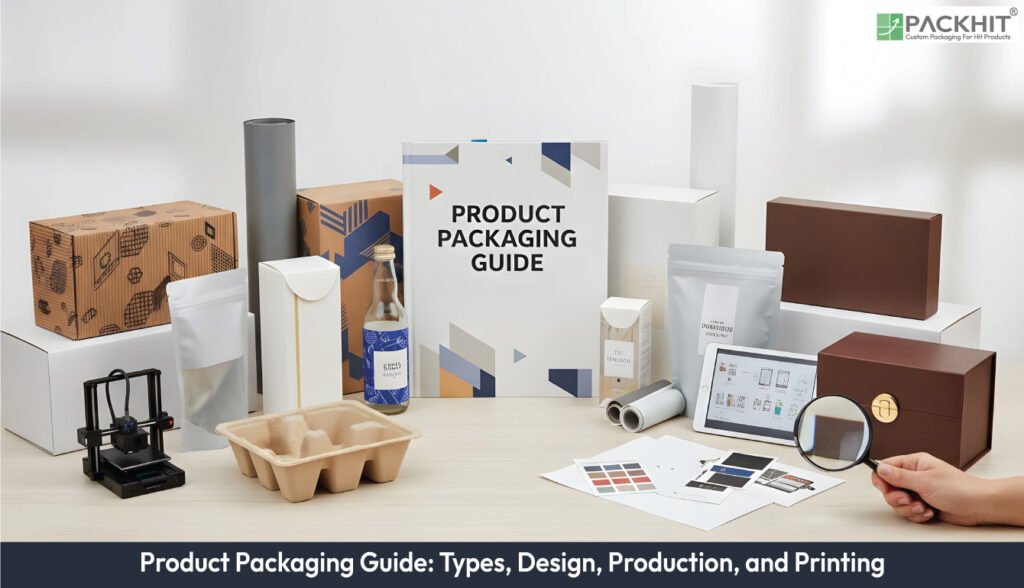
Product packaging is the physical container that protects a product and moves it safely through handling, display and transport. The types of product packaging include primary, secondary and tertiary layers, folding cartons, corrugated packaging and rigid boxes to flexible pouches and blister packs, each chosen for strength, visibility or mass efficiency. Packaging design follows a sequence of brief and research, structural engineering with dielines, artwork development, prototyping, evaluation and prepress planning. Creating packaging requires a clear product specification, a structural blueprint, suitable materials, artwork, printing and finishing details, validation plans, logistics constraints and correct file formats.
Printing involves defining specifications and RFQs, preparing prepress files, selecting methods such as digital, offset, flexo or gravure, and converting printed sheets through cutting, creasing and finishing. Before production, packages undergo prototype inspection, dimensional checks, handling tests and retail mock-ups to confirm functional and visual performance. Common box styles include mailer boxes, reverse-tuck and straight-tuck cartons, auto-bottom and snap-lock bases, rigid setup boxes, tray-and-sleeve formats, corrugated shipping cases and five-panel folders.
- What is Product Packaging?
- What are the Types of Product Packaging?
- Primary Packaging
- Secondary Packaging
- Tertiary Packaging
- Folding Cartons
- Corrugated Packaging
- Rigid Boxes
- Flexible Pouches
- Blister Packaging
- How is Product Packaging Designed?
- 1. Brief and Research
- 2. Structural Engineering and Dieline Development
- 3. Artwork Production
- 4. Prototyping and Evaluation
- 5. Prepress and Production Planning
- What are the Requirements to Create Product Packaging?
- Product Specification
- Structural Blueprint
- Materials
- Artwork and Typography
- Printing and Finishing Specifications
- Validation Plan
- Logistics Constraints
- Practical File Requirements
- How is Product Packaging Printed?
- Specification and RFQ (Request for Quotation) for Print Setup
- Prepress File Preparation and Verification
- Printing Methods
- Converting Steps and Finishes
- What Validation and Testing are Required Before Production?
- Prototype Inspection
- Dimensional Verification
- Handling and Transit Tests
- Shelf Display and Retail Mock‑up
- What Box Styles are Used in Product Packaging?
- What Deliverables are Handed to a Packaging supplier for Product Packaging?
- What are Common Production Errors, and How are they Mitigated?
What is Product Packaging?
Product packaging is the physical container that surrounds a product and maintains its condition during handling, display and transport. It groups primary, secondary and tertiary components that keep a product intact from filling to consumption. It adds protective structure, carries the required text and fixes unit quantity for retail or e‑commerce channels.
What are the Types of Product Packaging?
The types of product packaging listed below are determined by function, material class and protective performance. Each type controls how products withstand handling, support retail display or move through logistics channels. Form, substrate, and structural strength shape how each type behaves. The various types of product packaging are mentioned below:
Primary Packaging
Primary packaging surrounds the product and forms the first layer that maintains product stability and prevents contamination. Primary packaging holds liquids, powders or solids through forms such as bottles, sachets, tubes and trays. Primary packaging keeps measured quantity consistent and carries direct-use information such as instructions, barcodes and regulatory text.
Secondary Packaging
Secondary packaging groups multiple primary units and creates a retail-facing or handling-ready outer layer. Secondary packaging uses folding cartons, multi-unit sleeves, or cluster wraps that organise units for retail placement. Secondary packaging shapes shelf presence and increases pack density for warehousing.
Tertiary Packaging
Tertiary packaging supports transport and storage by stabilising grouped secondary packs during shipment. Tertiary packaging uses corrugated shipping cases, shrink‑wrapped bundles or pallet systems that maintain load integrity across transit points. Tertiary packaging fixes pallet count and reduces freight loss caused by crushed or shifted loads.
Folding Cartons
Folding cartons form a printable paperboard structure that holds light to medium‑mass products during retail display. Folding cartons carry branded panels, nutrition labels or hazard markings. Folding cartons fold flat during shipment and reduce storage volume until assembly.
Corrugated Packaging
Corrugated packaging provides compression strength for distribution cycles that include stacking, vibration and rough handling. Corrugated packaging uses single‑wall, double‑wall or triple‑wall combinations based on load mass. Corrugated packaging also supports die‑cut partitions that keep fragile items separated.
Rigid Boxes
Rigid boxes use thick board and wrapped paper layers to hold products that require structured, non‑collapsible forms. Rigid boxes protect electronics, glass items or gift items through fixed walls that resist deformation. Rigid boxes accept foil stamping, laminates or textured wraps when brands prioritise tactility.
Flexible Pouches
Flexible pouches use laminated films or mono-material films to contain powders, liquids or granular items with low mass. Flexible pouches reduce freight mass and use zip closures, spouts or heat‑sealed seams. Flexible pouches increase pack count per pallet due to a compact footprint.
Blister Packaging
Blister packaging traps a product between a thermoformed cavity and a printed card to secure small items with visibility. Blister packaging supports hang‑tab display and controls theft by limiting access without tools. Blister packaging suits items such as hardware, electronics components or small consumer goods.
How is Product Packaging Designed?
The process of packaging design involves brief and research, structural engineering, artwork development, prototyping, and validation. The steps to design product packaging are mentioned below:
1. Brief and Research
Define commercial targets and constraints with brand positioning, target channels such as retail shelf or e‑commerce or wholesale, unit economics and sustainability objectives. Compile product data such as dimensions, mass and compatibility with other SKUs.
2. Structural Engineering and Dieline Development
Create a dieline that matches product geometry and shipping requirements. Structural choices add internal supports, partitions and closure systems that change material quantity and protective performance. Designers generate vector dielines that guide die tooling and prepress.
3. Artwork Production
Artwork workstreams apply colour strategy that reflects colour psychology, typography that supports legibility and brand voice, layout that organises content and visual hierarchy that pushes required messages such as product name, net quantity and regulatory text to the foreground. Artwork follows print requirements with spot colours, CMYK separation and image resolution that protects clarity during production.
4. Prototyping and Evaluation
Users create a physical prototype to check fit, fold accuracy and in‑the‑flesh appearance. Prototypes reveal colour, scale and tactile issues that digital mockups do not show. Users review prototypes against acceptance criteria and revise structural or artwork files as required.
5. Prepress and Production Planning
Prepress prepares files for the selected printing process: colour proofing, trapping, imposition and plate generation or digital file setup. The production plan defines run length, converting steps and tooling requirements to calculate unit cost and lead time.
What are the Requirements to Create Product Packaging?
Packaging creation requires a complete product specification, a structural blueprint (dieline), material selection, print-ready artwork, and a
Product Specification
Product specification states dimensions, mass and performance limits, and it guides structural packaging choices. Product specification lists product length, width, height, mass, fragility class, thermal range and shelf‑life windows. These attributes define internal clearance, load paths and substrate grades that keep the product stable during handling.
Structural Blueprint
Structural blueprint sets the dieline geometry that dictates cut paths, fold sequences and glue zones. Structural blueprint appears as a vector file with crease angles, glue panels, safety panels and net size. This file controls die tooling, material use and assembly speed in automated or manual packing lines.
Materials
Materials specify substrate type, calliper and surface behaviour that influence stiffness, print holdout and moisture response. Materials include paperboard grades, corrugated combinations or polymer laminations with identified grammage or calliper. These selections govern storage density, crush strength and recyclability.
Artwork and Typography
Artwork and typography provide the colour system, image layers and readable text required for on‑pack communication. Artwork and typography files contain vector marks, raster images and typographic layers that follow colour references and regulatory text. Each element aligns with the dieline and keeps safe‑zone spacing.
Printing and Finishing Specifications
Printing and finishing specifications define ink system, surface coatings and adhesive choices for production accuracy. Printing and finishing specifications list CMYK or spot inks, varnish or laminate type, adhesive patterns and surface treatments that change abrasion response and reflectivity.
Validation Plan
Validation plan documents prototype steps, acceptance thresholds and handling tests that confirm functional performance. Validation plan covers prototype creation, dimensional checks, handling trials, compression checks and sample sign‑off. These checks verify that structure, artwork and materials match the intended use.
Logistics Constraints
Logistics constraints describe pack counts, pallet layout and storage density that determine freight and warehouse efficiency. Logistics constraints include unit count per inner pack, case configuration, pallet pattern and maximum stack height. Each constraint ties packaging geometry to transport cost.
Practical File Requirements
Practical file requirements state file formats, image resolution and preflight rules that maintain print accuracy. Practical file requirements include Illustrator dielines, layered artwork, print‑ready PDFs and high‑resolution raster files. A preflight check confirms outlined fonts, embedded graphics, trim marks, bleed margins and image resolution.
How is Product Packaging Printed?
The printing stage relies on four technical steps that define print setup, file preparation, ink transfer and downstream conversion, as outlined by the following items:
Specification and RFQ (Request for Quotation) for Print Setup
Specification and RFQ fix print parameters, substrate range and run volumes so suppliers can price without ambiguity. Specification and RFQ list product geometry, mass, pack count and substrate class. These entries anchor the dieline scale, converting method and pallet density. Suppliers adjust estimates when compression strength or humidity‑response data shift later.
Prepress File Preparation and Verification
Prepress verifies dieline geometry, artwork alignment and colour targets before plates or digital files move forward. Prepress inspects cut and crease paths, checks bleed margins and reviews embedded image resolution. Colour proofs expose shifts tied to substrate tone. A preflight step confirms outlined fonts, linked graphics, trim marks and safety spacing.
Printing Methods
Printing processes transfer ink by a mechanism tied to run length, colour precision and substrate limits. Digital lines handle sub‑5,000 units with variable data codes. Offset lines print paperboard at mid‑to‑high volumes because plate cost spreads across longer cycles. Flexographic lines print corrugated sheets and use anilox rolls that fix ink film thickness. Gravure lines print films for runs above hundreds of thousands, where stable density and repeat length control colour.
Converting Steps and Finishes
Converting turns printed sheets into components through die cutting, creasing and glue application. Cutting dies shape profiles, scoring rules fix fold paths, and glue stations secure closure zones. Finishing adds varnish, lamination or metallic layers that adjust surface friction or reflectivity. Accurate converting keeps fold repeatability steady in manual and automated packing.
What Validation and Testing are Required Before Production?
Validation requires physical prototyping, dimensional verification, handling tests and sign‑off against predefined acceptance criteria.
Prototype Inspection
Prototype inspection checks fold accuracy, surface finish and printed colour under normal lighting. Prototype inspection confirms that crease lines, glue areas and closure points follow the dieline without distortion, if sheet grain or calliper shift during sampling.
Dimensional Verification
Dimensional verification confirms that the internal cavity fits product tolerances and that clearance margins match load‑path expectations. Dimensional verification uses calibrated gauges that measure internal length, width and height at three points to detect skew.
Handling and Transit Tests
Handling and transit tests simulate drop, vibration and stacking conditions that occur during distribution. Handling and transit tests apply fixed metrics such as 30–60 cm drop heights or vibration cycles on three axes, if the product moves through normal parcel carriers.
Shelf Display and Retail Mock‑up
Shelf display and retail mock‑up confirm shelf impact, legibility and barcode readability under store lighting. Shelf display and retail mock‑up expose small issues such as glare on varnished panels or barcode truncation.
The event sequence continues as a designer or user requests a prototype; the prototype moves through inspection and testing; findings lead to revisions or approval for a pilot run.
What Box Styles are Used in Product Packaging?
The box styles used in product packaging include mailer boxes, reverse‑tuck cartons, straight‑tuck cartons, and auto bottom boxes. The most common box styles that are used in product packaging are given below:
- Mailer boxes use one corrugated sheet, a front‑locking flap, and scored panels that resist compression during parcel transit; brands pack electronics, apparel, or supplements in this structure.
- Reverse‑tuck cartons use opposite tuck directions on top and bottom panels, which reduces board waste and speeds hand‑assembly for cosmetics, vials, or compact food units.
- Straight‑tuck cartons use aligned tuck panels that hide board edges on the front display panel; fragrances, accessories, and small electronics use this style for cleaner shelf presence.
- Auto‑bottom boxes use a pre‑glued base that snaps into position during opening; jars, small appliances, and glass units rely on this construction for load support.
- Snap‑lock bottoms use four interlocked flaps that create a reinforced base; supplements, personal‑care items, and mid‑mass retail goods use this design, if handling varies.
- Rigid setup boxes use dense board and wrapped paper layers to hold products that require non‑collapsible walls; electronics, optical gear, and gift items take advantage of the fixed cavity.
- Tray‑and‑sleeve boxes use a die‑cut tray that slides into a printed sleeve; confectionery, USB devices, and compact tools use this style because structural stability stays separate from the printed outer cover.
- Corrugated shipping cases use single‑wall or double‑wall board with RSC, FOL, or HSC layouts; warehouses load these cases onto pallets to move grouped retail cartons.
- Five‑panel folders use an extended panel that wraps around long items; sporting goods, rods, and hardware tools use this form to increase stacking strength.
What Deliverables are Handed to a Packaging supplier for Product Packaging?
Deliverables include a product specification sheet, a vector dieline, print‑ready layered artwork, material and finishing specifications, tooling requirements, and an acceptance‑test matrix are added to a packaging supplier for product packaging.
A few examples of concrete files and documents include the following:
- Product specification sheet with product dimensions, mass, SKU identifiers, and handling notes.
- Structural dieline as a vector file with cut, crease, and glue areas in .ai or .pdf format.
- Print‑ready artwork with layered CMYK or spot-colour files, outlined fonts, and images at production resolution.
- Material data with substrate type, basis weight, coatings, and recyclability notes.
- Acceptance‑criteria document with inspection checks and pass/fail tolerances.
What are Common Production Errors, and How are they Mitigated?
Frequent errors involve incorrect dieline geometry, missing bleed or safe zones, mismatched substrate and printing methods, and limited prototype review; mitigation depends on preflight checks and staged approvals.
Mitigation measures:
- The preflight checklist checks fonts, embedded images, and dieline accuracy before prepress.
- Physical prototypes reveal alignment, registration, and structural faults during handling.
- Supplier alignment confirms ink and substrate compatibility during production.
- Pilot runs test setup, colour, and conversion on a short cycle before full production.